Cocktail Party 3D
Play Cocktail Party 3D online for free · Zero downloads · Fullscreen unblocked
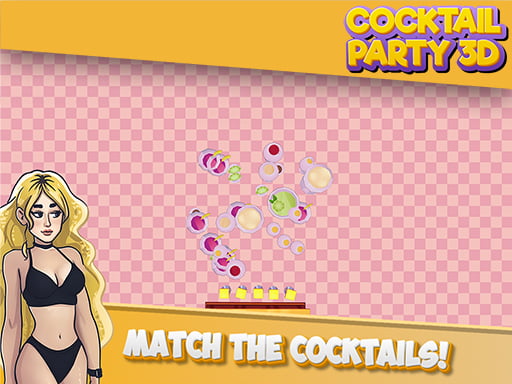
Cocktail Party 3D
Click play to launch full interactive game directly in your browser with verified 60 FPS performance.
▶ Play Game NowAbout Cocktail Party 3D
Cocktail Party 3D is a high-performance free online puzzle games game playable directly in modern web browsers with zero installation. Built with responsive WebGL and HTML5 technology, Cocktail Party 3D delivers fluid 60 FPS gameplay across desktop PCs, laptops, Chromebooks, and mobile devices.
Experience engaging challenges, intuitive mechanics, and instant accessibility. Whether you are playing on a school Chromebook or a desktop setup, Cocktail Party 3D launches immediately in fullscreen without requiring downloads, accounts, or special plugins.
Objective & How to Win
Solve logic challenges, clear board tiles, or match identical items by analyzing patterns and planning moves carefully.
Verified Controls
| Action | Keys / Input | Device |
|---|---|---|
| Select / Drag Tiles | Left Mouse Button / Tap | Mouse / Touch |
| Undo Move | U / Z Key | Keyboard |
| Restart Level | R Key | Keyboard |
Device & Browser Compatibility
💻 PC & Mac
Native 60 FPS in Chrome, Firefox, Edge, Safari.
💻 Chromebook
Runs smoothly on ChromeOS without plugins or installation.
📱 Mobile & Tablet
Touch-screen controls on iOS Safari & Android Chrome.
🌐 Supported Browsers
Google Chrome, Mozilla Firefox, Apple Safari, Microsoft Edge, Opera.
Tips & Strategy Playbook
- 1 Scan the entire puzzle board before making your first move to identify high-value chains.
- 2 Focus on creating space at the bottom or corners of the board for greater flexibility.
- 3 Take your time — most puzzle games reward accuracy and thoughtful planning over speed.
Licensing & Editorial Standards
Distributor: BrowserGames100 Partner Network
Licensing: Free-to-play web game distribution agreement
All games on BrowserGames100 are regularly tested by our editorial staff for performance, safety, and compatibility.
Have a suggestion or copyright question? Visit our DMCA Policy or contact support.
Frequently Asked Questions (FAQ)
Can I play Cocktail Party 3D online for free without downloading?
Yes, Cocktail Party 3D is completely free to play directly in your web browser on BrowserGames100. There are no client downloads, browser extensions, or registration required.
Is Cocktail Party 3D unblocked for school Chromebooks and restricted networks?
Yes, Cocktail Party 3D runs via standard secure HTTPS HTML5/WebGL technology, allowing it to bypass local desktop binary restrictions on ChromeOS Chromebooks, Mac, and PC.
What are the verified controls for Cocktail Party 3D?
Cocktail Party 3D supports responsive keyboard, mouse, and touchscreen inputs: Select / Drag Tiles (Left Mouse Button / Tap); Undo Move (U / Z Key); Restart Level (R Key).
Does Cocktail Party 3D automatically save high scores and level progress?
Yes, game achievements and high scores are retained in your browser's local HTML5 cache and IndexedDB storage. Keep your browser cookies active to preserve your records.
How do I fix lag or a black screen in Cocktail Party 3D?
Ensure Hardware Acceleration is enabled in your browser settings (chrome://settings/system). If an embed fails to load, disable interfering browser extensions or refresh your cache.
✅ Why Play on BrowserGames100?
- ⚡ Fast loading — tested under 2.5 seconds
- 🔒 Safe & curated — general audience friendly
- 📥 Zero downloads — instant browser play
- 🆓 100% free — no account or credit card required